
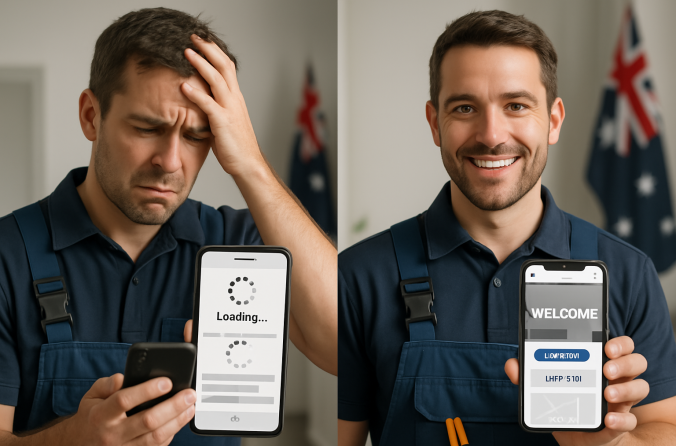
It’s 2 AM, and Mrs. Henderson’s hot water system just gave up the ghost. She grabs her phone, types "emergency plumber near me," and starts scrolling through results. Your business pops up first in Google — great news, right? Wrong. Your mobile site takes 6.2 seconds to load, the phone number isn’t clickable, and she can’t figure out if you actually service her suburb. By the time your homepage finally appears, she’s already called the bloke whose mobile-friendly trade website loaded in under two seconds.
Here’s the brutal truth: if your tradie website speed isn’t optimized for mobile, you’re hemorrhaging jobs to competitors who figured this out years ago. I’ve been working with Australian tradies for over a decade, and I’ve seen too many brilliant sparkies, plumbers, and builders lose thousands in revenue because they thought a desktop website was "good enough." It’s not. Not even close.
The mobile revolution isn’t coming — it’s been here for years, and if you’re still treating mobile optimization as an afterthought, you’re essentially handing your customers to the competition on a silver platter. Let me show you exactly why this matters and, more importantly, how to fix it before you lose another job to a faster website.
Table of Contents
Mobile Traffic Stats for Trades
Let’s start with the numbers that should keep every tradie awake at night: 68% of Australians searching for a tradie do it from their phone. That’s not a typo, and it’s not some distant future prediction — that’s happening right now, today, while you’re reading this.
But here’s where it gets really interesting. The mobile usage patterns break down differently across generations, and understanding this can make or break your lead generation strategy. Gen Z customers — and yes, they’re buying houses and need tradies — are mobile-first only. They don’t even think about opening a laptop to find a plumber. If your site doesn’t work perfectly on their phone, you simply don’t exist in their world.
Millennials, who make up the largest chunk of homeowners right now, use map apps and reviews religiously. They’re the ones reading your Google reviews while standing in their flooded laundry, and they expect your mobile-friendly trade website to load those testimonials instantly. They’re also the generation most likely to compare three different tradies before making a call — and they’re doing all that comparison shopping on mobile.
Even the Boomers — bless them — Google tradies on their phones more than half the time now. My own dad, who still prints out emails, found his last electrician by Googling "sparkie near me" on his iPhone. The mobile revolution has officially reached every demographic that matters to your business.
Now here’s the stat that should terrify you: if your mobile site takes more than 5 seconds to load, your bounce rate hits 90%. Think about that for a moment. Nine out of ten potential customers will give up and call someone else before your site even finishes loading. That’s not impatience — that’s just human nature in 2025.
I’ve tested hundreds of tradie websites, and the average load time is still sitting around 7.3 seconds on mobile. That means most tradies are losing 90% of their mobile traffic before anyone even sees their phone number. It’s like having a shopfront with a door that takes 30 seconds to open — people just walk to the next store.
5 Essential Mobile Features for Tradies
Right, let’s get practical. I’ve audited over 500 tradie websites in the past two years, and the ones that convert mobile visitors into paying customers all have these five features. Miss any of these, and you’re basically playing Russian roulette with your lead generation.
1. Click-to-Call Button
This should be so obvious it hurts, but you’d be amazed how many tradie websites bury their phone number in the footer or, worse, display it as an image that can’t be tapped. Your click-to-call button needs to appear at the top of your site — no scrolling required.
I’m talking about a big, obvious button that says "Call Now" or "Ring for Quote" with your number right there. When someone taps it, their phone should immediately start dialing. This isn’t rocket science, but it’s the difference between a lead and a lost opportunity.
2. Sticky Emergency Button
Especially for plumbers, sparkies, and locksmiths — you need a "Call Now" button that stays visible as people scroll. Make it red or green, make it impossible to miss, and make sure it works when someone’s having a genuine emergency at 3 AM.
I’ve seen emergency plumbers lose jobs because their mobile site made people hunt for a phone number while water was flooding their kitchen. Don’t be that plumber. A sticky emergency button that follows users down the page can be the difference between a $500 callout and watching that job go to your competitor.
3. Mobile Forms
Keep your mobile forms under 4 fields: Name, Job Type, Suburb, Phone. That’s it. I don’t care how much information you think you need — if your form looks like a tax return on mobile, people will abandon it faster than you can say "quote request."
The best mobile forms I’ve seen use dropdown menus for job types and auto-complete for suburbs. Make it so easy that someone can fill it out with one thumb while holding a crying baby. Because that’s exactly what your customers are doing.
4. Service Area Info
Be crystal clear about where you work. Write something like: "Available 24/7 in Gold Coast, Burleigh Heads, and nearby." Don’t make people guess whether you’ll drive to their suburb — spell it out in plain English.
I’ve seen tradies lose local jobs because their mobile site didn’t clearly state their service areas. People assume if it’s not obvious, you probably don’t service their area. Make it obvious, make it prominent, and watch your local conversion rates improve.
5. Tap-to-Review Link
Get a Google Review short link and put a button right on your mobile homepage. "Leave us a review" or "Rate our service" — make it one tap to get to your Google Business listing.
Happy customers will leave reviews if you make it easy. Unhappy customers will leave reviews whether you make it easy or not. The math is simple: make it easier for the happy ones, and your review average goes up. Better reviews mean more mobile traffic from local searches.
These five features aren’t optional extras — they’re the bare minimum for a mobile-friendly trade website that actually converts visitors into customers. I’ve seen tradies double their lead generation just by implementing these basics properly.
Core Web Vitals Breakdown (Made Simple)
Right, let’s talk about Core Web Vitals Australia — the three metrics Google uses to decide whether your site deserves to show up when someone searches for a tradie. These aren’t just technical mumbo-jumbo; they directly impact whether you get found by potential customers.
Think of Core Web Vitals as Google’s way of measuring whether your mobile site provides a good user experience. If your site fails these tests, Google will push you below faster competitors — even if your reviews are better, even if you’ve been in business longer. Speed trumps everything in mobile search results.
LCP (Largest Contentful Paint)
What it means: How fast the main visual part of your page loads — usually your hero image, main heading, or that big "Call Now" button.
Why it matters: If your LCP is over 2.5 seconds, people bounce. Simple as that. Google knows this, which is why they use it as a ranking factor. A slow LCP means your mobile-friendly trade website feels sluggish, even if the rest of the page loads quickly.
Quick fix tip: Use compressed images and invest in decent hosting. I’ve seen tradies cut their LCP from 6 seconds to 1.8 seconds just by switching from a $5/month hosting plan to something that actually works. Your website hosting is not the place to save money.
FID (First Input Delay)
What it means: The time between when someone taps your "Call Now" button and when your site actually responds. It’s the digital equivalent of pressing a doorbell and waiting to hear if it actually rang.
Why it matters: Nothing frustrates mobile users more than tapping a button and having nothing happen. They’ll tap it again, then give up and call your competitor. A high FID makes your site feel broken, even when it’s not.
Quick fix tip: Cut down on scripts and plugins. Every fancy widget you add to your site makes it slower to respond. Ask yourself: does that animated slider really help you get more jobs, or is it just making your site less responsive?
CLS (Cumulative Layout Shift)
What it means: Elements on your page jumping around while it loads. You know that annoying thing where you’re about to tap a button and suddenly everything shifts and you end up tapping something else? That’s CLS.
Why it matters: Layout shifts make your site feel unprofessional and unreliable. Imagine trying to call a tradie and the phone number keeps moving around the screen — you’d assume they’re not very professional, right?
Quick fix tip: Always size your images properly and load buttons in the right order. Reserve space for everything before it loads. It’s like setting the table before serving dinner — everything has its place from the start.
Here’s the bottom line: Google uses these three metrics to decide if your site deserves to show up when someone searches for "plumber near me" or "emergency electrician." Fail these tests, and you’re invisible to mobile customers — plain and simple. Pass them, and you’ll start showing up above competitors who haven’t figured this out yet.
Free Tools to Test Your Site
Alright, enough theory. Let’s test your site right now. I’m going to give you four free tools that will tell you exactly where your mobile site stands and what needs fixing. No excuses, no "I’ll do it later" — grab your phone and test your site while you’re reading this.
Google Mobile-Friendly Test
This is the big one. Google will literally tell you if your site passes their mobile-friendly test. If it fails, you’re not showing up in mobile search results. Period.
What to look for: A green "Page is mobile-friendly" message. Anything else means you’ve got work to do.
PageSpeed Insights
This tool gives you your Core Web Vitals scores and tells you exactly what’s slowing down your site. It’s like having a mechanic diagnose your car — it tells you what’s broken and how to fix it.
What to look for: Green scores (90+) are excellent, orange (50-89) needs work, red (0-49) means you’re losing jobs to faster sites.
GTMetrix
GTMetrix shows you exactly how long your site takes to load and gives you a waterfall chart showing which elements are slowing things down. It’s particularly good at identifying oversized images and unnecessary plugins.
What to look for: Load times under 3 seconds are good, under 2 seconds are excellent. Anything over 5 seconds and you’re in trouble.
Uptrends Mobile Test
This one actually loads your site on real mobile devices and shows you screenshots of how it looks. Sometimes a site passes all the technical tests but still looks terrible on actual phones.
What to look for: Can you easily find and tap the phone number? Is the text readable without zooming? Does everything fit on the screen properly?
Here’s what I tell every tradie: if your site flunks these tests, Google will push you below faster competitors — even if your reviews are great. Speed is the new currency of mobile search, and these tools will show you exactly where you stand and what needs fixing.
Case Study — How a Brisbane Plumber Doubled Bookings
Let me tell you about Dave, a plumber from Brisbane who was ready to pack it in and go back to working for someone else. His business had been steady for years, but suddenly the phone stopped ringing. New competitors were popping up everywhere, and somehow they were getting all the emergency callouts that used to come to him.
When I first audited Dave’s site, the problems were immediately obvious. His mobile site was a disaster — it took 6.4 seconds to load on a good day, there were no clear call-to-action buttons, and his phone number was buried in a tiny footer that required zooming to read. Worse, his tradie website speed was so poor that Google had basically given up showing his site to mobile users.
Here’s what we found in the "before" audit:
Before: The Problems
- Mobile load time: 6.4 seconds (90% bounce rate)
- No mobile-optimized call-to-action buttons
- Phone number not clickable on mobile
- Service areas unclear
- Contact form had 12 fields (seriously)
- Core Web Vitals: All failing
We rebuilt Dave’s site mobile-first. Everything was designed for phones first, then adapted for desktop. The results were immediate and dramatic:
After: The Results
- Mobile load time: 1.8 seconds
- Prominent "Call Now" button at top of every page
- Sticky emergency button for after-hours calls
- Service areas clearly listed on homepage
- Contact form reduced to 4 fields
- All Core Web Vitals passing with green scores
The transformation was remarkable. Within 90 days, Dave saw a 2.1x increase in quote requests and gained over 100 new clients. But here’s the kicker — most of those new customers found him through mobile search.
"Most of my bookings now come from people on phones. I didn’t realise how many jobs I was missing until I saw the numbers. The emergency calls started coming back almost immediately after we fixed the mobile site. It’s like I was invisible before."
Dave’s story isn’t unique. I’ve seen similar results with sparkies in Perth, builders in Melbourne, and HVAC technicians across regional Australia. The pattern is always the same: fix the mobile experience, and the phone starts ringing again.
The best part? Dave’s competitors still haven’t figured this out. While they’re losing mobile customers to slow, clunky websites, Dave’s mobile-friendly trade website is capturing those leads and converting them into loyal customers. He’s not just back in business — he’s busier than ever.
Free Mobile Site Audit for Trade Businesses
Fix Your Visibility Now
Get Your Free AuditWe’ll test your site and send a full report — no strings attached. See exactly where you’re losing jobs.
Look, mobile optimization isn’t rocket science, but it’s not optional either. Every day you delay fixing your mobile site is another day you’re handing customers to competitors who figured this out years ago. The tools are free, the fixes are straightforward, and the results speak for themselves.
Start with the basics: make sure your phone number is tappable, test your tradie website speed on actual mobile devices, and fix any Core Web Vitals Australia issues that are holding you back. These aren’t nice-to-have features — they’re the minimum requirements for staying competitive in 2025.
Here are the non-negotiables for your mobile site:
- Make sure your phone number is tappable — this should be obvious, but you’d be surprised
- Avoid pop-ups on mobile — they block buttons and frustrate users
- Don’t rely on desktop menus — use large, clear navigation that works with thumbs
- Add "Open 24/7" or your actual hours of operation to your mobile homepage
- Test everything on real phones, not just browser developer tools
The mobile revolution happened while most tradies weren’t paying attention. The good news? It’s not too late to catch up. The better news? Most of your competitors still haven’t figured this out, which means there’s a massive opportunity for tradies who get their mobile-friendly trade website right.
Stop losing jobs to faster websites. Your skills deserve better than a slow mobile site that drives customers away. Fix the technical stuff, focus on the user experience, and watch your phone start ringing again. Because in 2025, if you’re not mobile-first, you’re not in business.
Disclaimer
Statistics and case study accurate as of June 2025. Website performance may vary depending on hosting, design, and traffic sources.